Gym routines with your machines
Start with a ready-made routine, use your coach's, install one from the community or build your own in a minute. GymOrbita turns it into your weekly plan: every day, «Today» shows what's next.
How it works
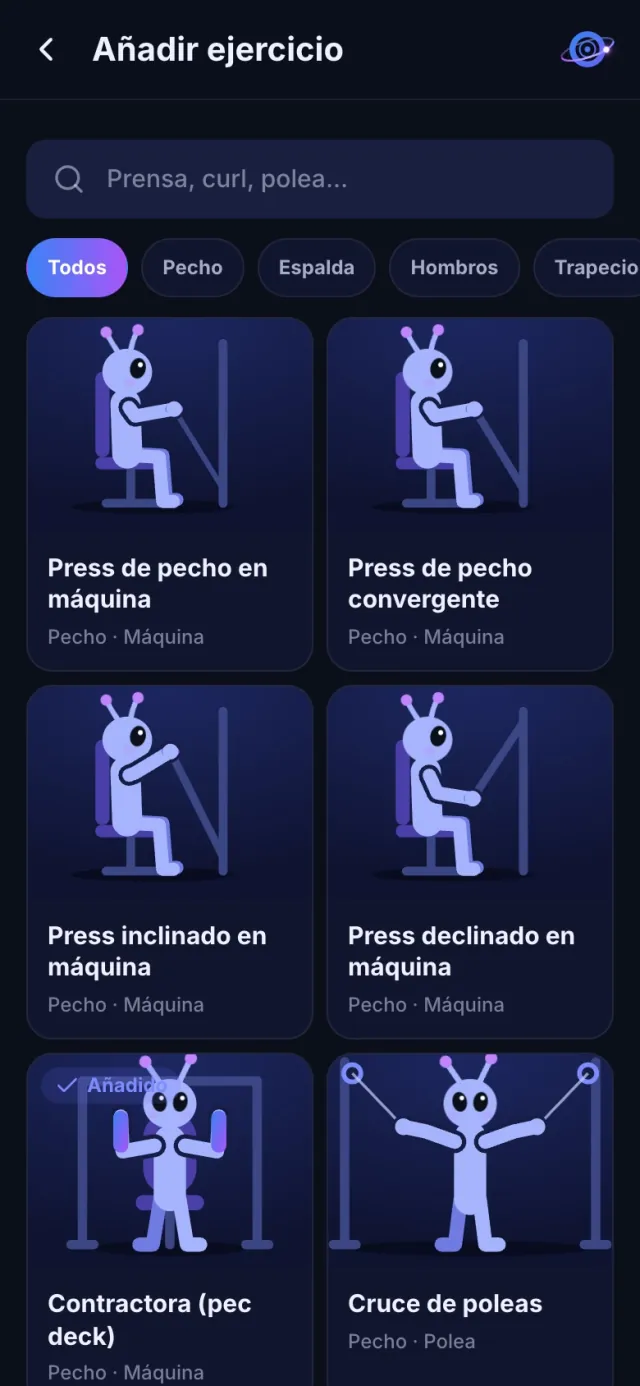
A ready-made one, your coach's, a community one or your own from scratch.
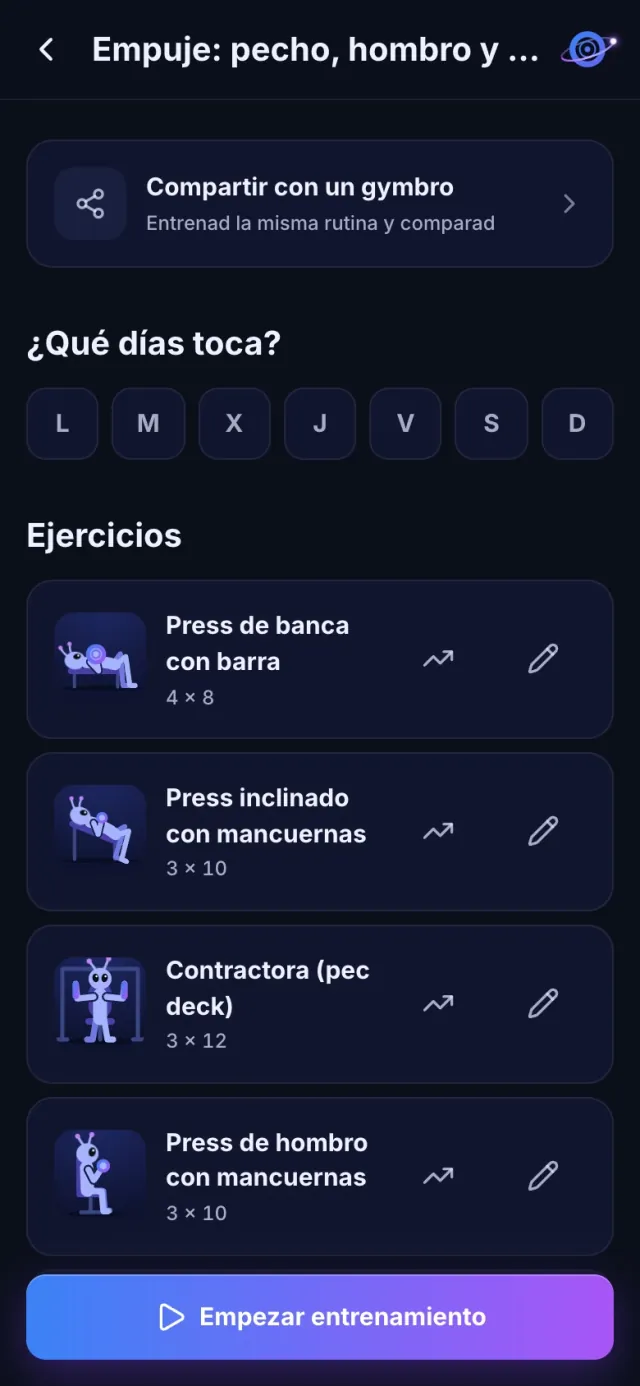
Monday and Thursday, Tuesday and Friday… whatever suits you.
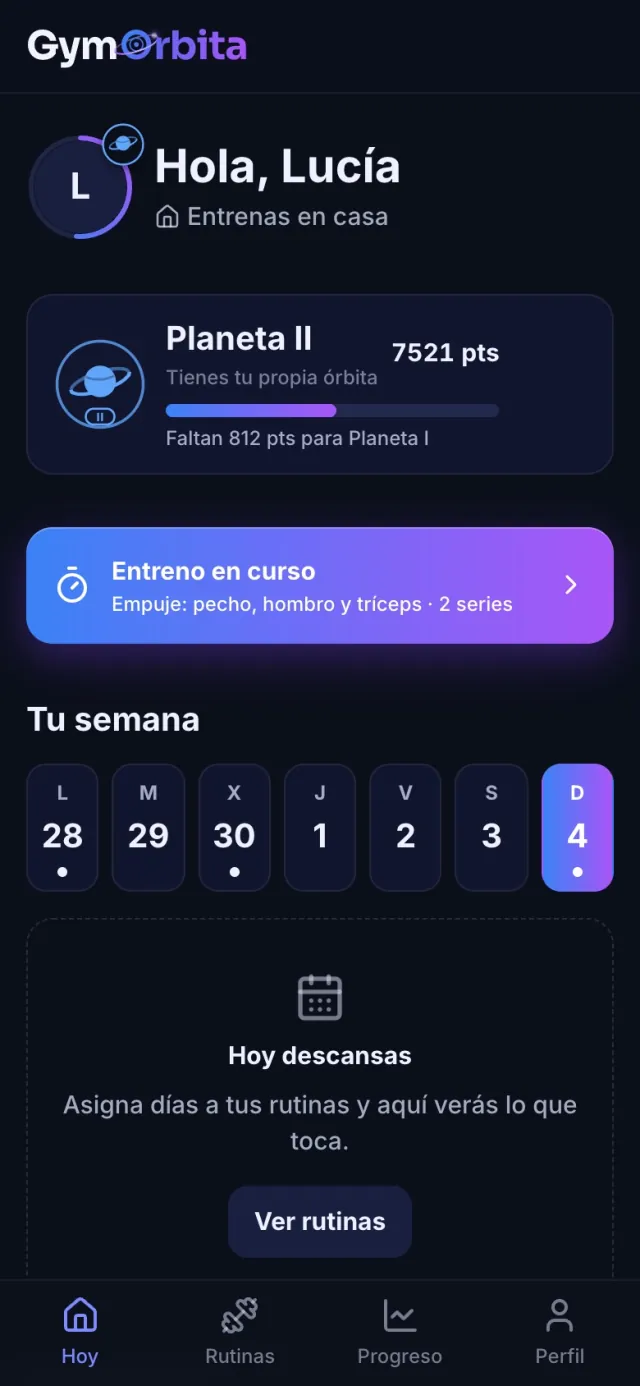
The day's routine is waiting with a button to start.
Four ways to get your routine
Switch routines whenever you like; your logs and records stay with you.
- Ready-made routines: full body for beginners, push pull legs, upper-lower, legs or glutes, ready to go.
- Your coach's: if your gym is on GymOrbita, your trainer assigns it and it just appears.
- The community: routines people share, sorted by most installed or newest. Install one with a tap and it's yours to edit.
- Your own: pick from 114 exercises with search and muscle and equipment filters, and set sets, reps and target weight.
Your gym's machines
If your gym adds its machines to GymOrbita, you pick them exactly as they are on the floor, with their photo, the gym's notes and their video. So you know exactly which one it is before you get there.
Alternative machines
Every exercise in your routine can have alternatives: another machine, a cable or dumbbells. If yours is taken, switch to the alternative during your workout and GymOrbita keeps each one's log separately, so the suggested weight is always that machine's.
Your week, organised
Assign each routine to weekdays. The «Today» screen shows the day's workout, the days you've trained this week, your next class if you have a gym and your rank. On a day with nothing planned, it tells you: rest builds muscle too.
Share it
- With the community: publish it and see how many people install it.
- With your GymBro: you both edit it and each keeps their own weights.
- With the assistant: paste a routine you have written down and it turns it into a GymOrbita routine.
FAQ
Can I use GymOrbita if my gym isn't on it?
Yes. Routines, logging and progress work at any gym, or training at home. If yours joins, you also see its machines, classes and announcements.
Can I have several routines?
Yes, as many as you like, each with its own days. For example, upper body on Mondays and Thursdays and legs on Tuesdays and Fridays.
What if my exercise isn't in the catalogue?
You can add an exercise with your own name; it's saved and tracked like the rest.
If I install a community routine, does it change when its author edits it?
No. Installing makes a copy for you: you can edit it without affecting anyone, and the author's changes don't touch yours.
More features
During your workout, GymOrbita shows you the next exercise, suggests the weight and reps and saves each set with one tap. You just lift.
Read more →Strength progressLifting more weight doesn't always mean being stronger: 80 kg × 8 beats 85 kg × 3. GymOrbita compares your real sets and tells you, at a glance, whether you're progressing.
Read more →Animated exercisesEach of the 114 exercises in the catalogue has its own animation: an alien doing the whole movement, on a loop. Before you sit at a machine, see how it's done.
Read more →Try it on your next workout
Create your account in a minute, pick a routine and log your first set. Free.